P1MeterKit
Compact P1 reader with native Home Assistant integration and fast MQTT updates.
- •Realtime DSMR data inside Home Assistant over Wi-Fi.
- •Reserve one of the five P1SplitterKit ports for your P1MeterKit so the remaining ports stay open.
The P1SplitterKit is a universal hardware splitter that divides your DSMR energy meter P1 port into 5 outputs. Connect multiple monitoring devices simultaneously while keeping the same data stream on every device.
Discover the P1SplitterKit: A carefully crafted, Dutch innovation, specifically designed to expand your P1 port to 5 devices.
Simple hardware distribution: No software, no complex configuration – plug-and-play splitting with LED status indicators.
1→5 P1 verdeling
With the P1SplitterKit you can connect up to 5 different devices simultaneously to the P1 port of your DSMR energy meter. Perfect for combining different monitoring systems, charging stations, energy managers and Home Assistant setups.
The P1SplitterKit works with all DSMR v4 and v5 meters and requires no configuration. Includes 1 meter RJ12 cable to get started immediately. Insert the cable from your energy meter into the input, connect your devices to the 5 outputs and you are ready. The slide switch on the side lets you choose between power via P1 port or external USB-C power.

" Finally I can use my P1MeterKit, charging station monitoring and DSMR Reader simultaneously without problems. The P1SplitterKit has solved all compatibility issues - the LED lights perfectly indicate which devices are actively receiving data. "
Extend your smart meter
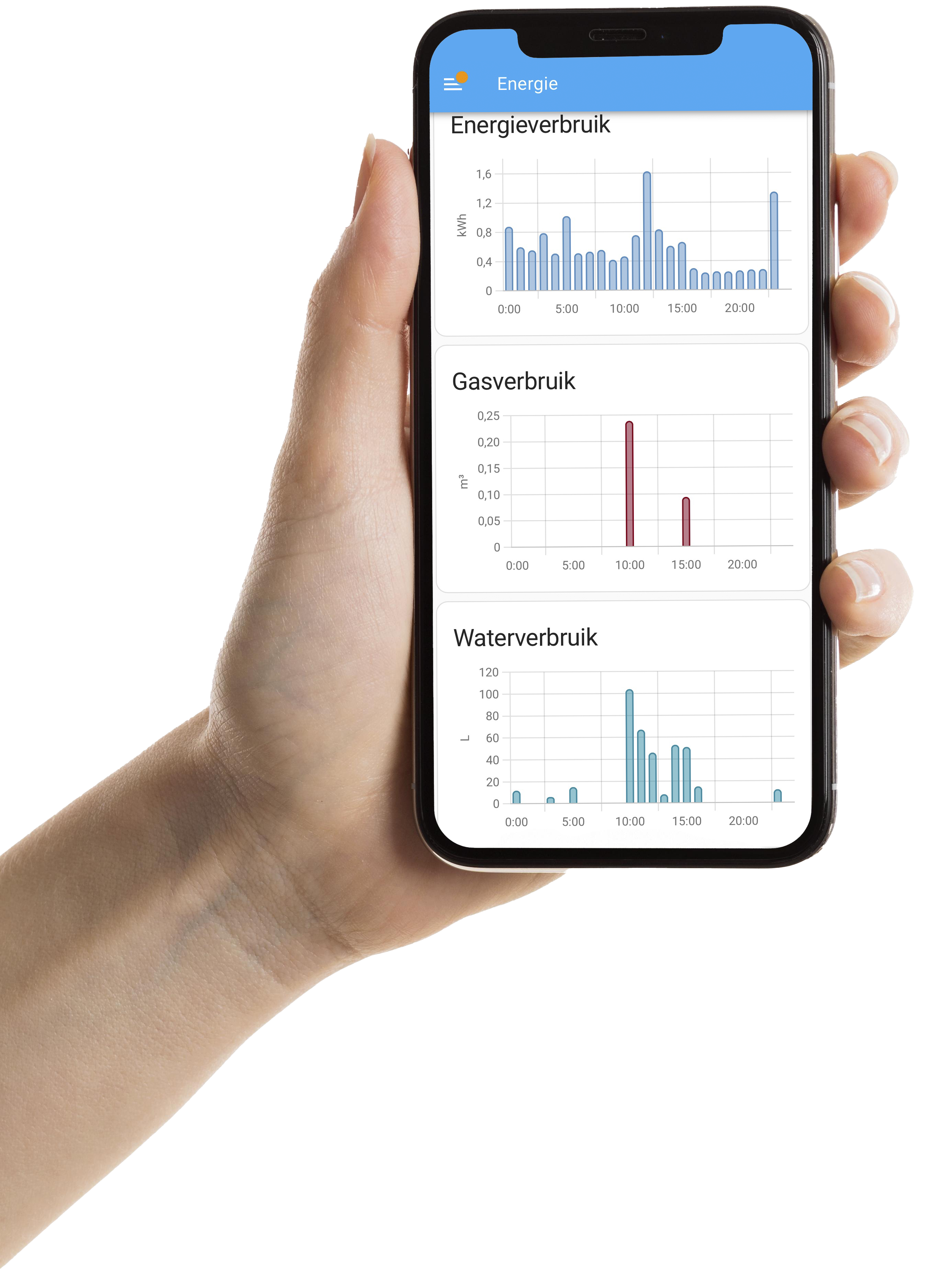
Pair the P1SplitterKit with our P1MeterKit or WaterP1MeterKit for a complete energy and water monitoring stack. Both kits plug straight into Home Assistant for live dashboards.
Compact P1 reader with native Home Assistant integration and fast MQTT updates.
Water and energy sensing with Home Assistant integration, Ethernet, and PoE for rock-solid logging.
The P1SplitterKit is a hardware-based splitter that divides your DSMR energy meter P1 port into 5 outputs. This allows you to connect multiple monitoring devices simultaneously like a P1MeterKit, charging station monitoring, DSMR Reader, energy managers and Home Assistant setups without data loss.
Yes, the P1SplitterKit is universally compatible with all DSMR v4 and v5 meters. The device works hardware-based and requires no configuration - simply insert the RJ11/RJ12 cable from your energy meter into the input and connect your devices to the 5 outputs.
The P1SplitterKit has LED status indicators for each output. Each light blinks when data is being transmitted to the connected device. Additionally, there are separate lights that indicate whether the device is powered via the P1 port or via USB-C.
Yes, the P1SplitterKit has flexible power options. With the slide switch on the side you can choose between power via the P1 port (parasitic for DSMR v5) or external power via USB-C. This is useful if your P1 meter provides insufficient power or if you have DSMR v4.
No, the P1SplitterKit passively splits the P1 signal one-to-five. There is no software that interferes with the stream, so every connected device receives the same dataset as if it were connected directly to the meter.
The P1SplitterKit comes with a 1 meter RJ12 cable to get started right away. For additional devices you need extra RJ11 or RJ12 cables. Difference between RJ11 and RJ12: RJ11 has 4 pins/contacts (narrower) and is often used for telephony, RJ12 has 6 pins/contacts (wider) and is standard for DSMR P1 ports. Recognition: Count the small metal contact points in the connector - 4 = RJ11, 6 = RJ12. Most P1 monitoring devices come with the correct RJ12 cable. For power, you can optionally use a standard USB-C cable if you don't want to power via the P1 port.
The P1SplitterKit has 5 outputs, so you can connect a maximum of 5 devices simultaneously. This is more than sufficient for most applications like Home Assistant, DSMR Reader, charging station monitoring, energy managers and backup systems.
No, installation is very simple. No configuration needed: 1) Connect the RJ12 cable from your energy meter to the input, 2) Connect your monitoring devices to the 5 outputs, 3) Choose power via the slide switch (P1 or USB-C). The LED lights immediately indicate if everything works correctly.
For more than 5 devices you can chain multiple P1SplitterKits in series, or use an output from the first splitter as input for a second splitter. This gives you additional outputs without signal quality loss.
Yes, the P1SplitterKit distributes the complete DSMR signal including all data such as electricity, gas, water (if available), temperature and other sensor data that your P1 meter outputs. All connected devices receive the same complete dataset.